Written by Alex Ren
Updated on 10 min read
How to reduce screen time working from home: where your off-screen minutes went
Quick summary Ask anyone who switched to remote work whether they spend more time in front of a screen at home than they did at the office, and they'll say yes before you finish the question. The data agrees, the gap is bigger than most of us assume, and it changes what reducing your screen time actually takes.
In this article
- Working from home made the day longer, and the extra hours are all screen time
- Where your off-screen minutes actually went
- Why your body keeps the score on the extra screen time
- Find the screen time you can actually cut: a 15-minute audit
- How to reduce screen time at home: structure beats willpower
- Frequently asked questions
The strange part is that nothing dramatic changed. Same job, same tasks, same laptop. But the office day was full of moments that pulled you away from the screen without asking, and remote work quietly deleted every one of them.
Working from home made the day longer, and the extra hours are all screen time#
When offices closed in 2020, NordVPN Teams measured when employees connected to and disconnected from their work servers. The remote workday came out up to three hours longer in the United States, and about two hours longer in France, the UK and Spain. Bloomberg's headline on that data said it plainly: the pandemic workday had obliterated work-life balance. Not three more hours of work squeezed into the same seat time: three more hours of connected, in-front-of-the-screen time.
Microsoft's Work Trend Index tells the same story from inside the tools: for Teams users, weekly meeting time grew 252% between February 2020 and 2022, and work outside regular hours grew 28%. Meetings that used to mean walking to a room and looking at people now mean looking at a screen, often with another screen open next to it.
And this pattern predates the pandemic. Back in 2017, a joint Eurofound and ILO report across 15 countries already found that remote and mobile workers tended to work longer hours and report higher intensity than their office-based colleagues. Remote work doesn't just relocate the workday. It stretches it.
Where your off-screen minutes actually went#
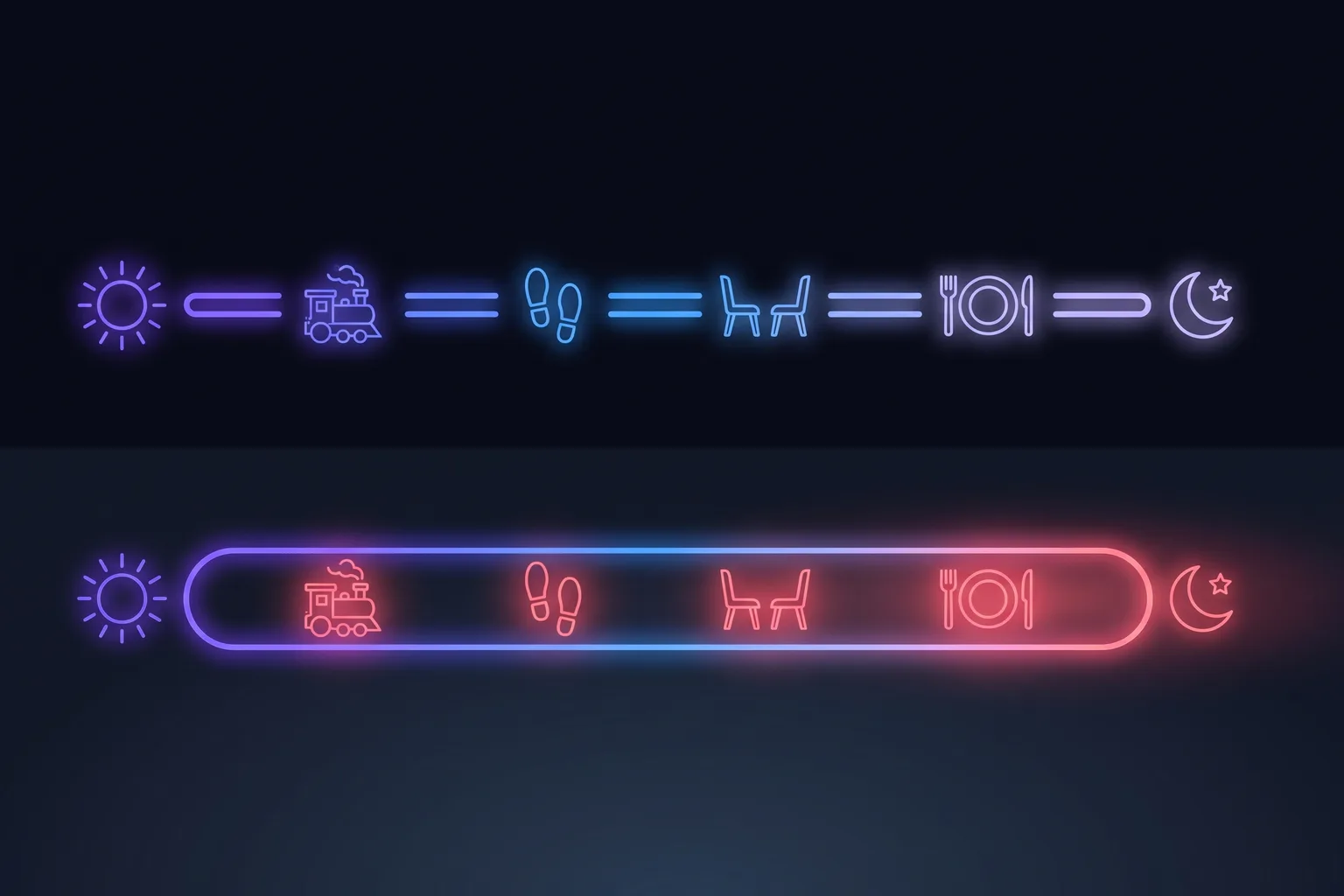
An office day is riddled with built-in interruptions nobody counts as breaks: the commute, the walk to a meeting room, the colleague at your desk, lunch away from the keyboard. None of them felt like recovery. All of them were. Put an ordinary office day next to its remote twin and the pattern is hard to unsee:
| Moment | At the office | Working from home |
|---|---|---|
| Commute | 25–60 min off-screen: walking, driving, transit | 0 min: you open the laptop where you woke up |
| Meetings | Walk to the room, faces, whiteboard | Back-to-back video calls, camera on |
| Quick questions | Someone stops by your desk | Slack or Teams: typed, on screen |
| Lunch | Cafeteria or restaurant with colleagues | Eaten at the desk, video playing |
| End of day | Office empties out: a hard stop | “One last thing”: after-hours work up 28% |
Each replaced moment looks trivial: five minutes here, twenty there. Added up, they explain the two-to-three-hour gap almost entirely. The office gave your eyes and your body dozens of micro-recoveries per day for free. At home, every single one of them has to be deliberate, or it doesn't happen.
Why your body keeps the score on the extra screen time#
Eyes first. Staring at a screen cuts your blink rate roughly in half, and computer vision syndrome (dry eyes, blurred vision, headaches) affects a majority of heavy screen users. Two to three extra hours a day is exactly the kind of dose increase that turns “tired eyes some evenings” into “burning eyes every evening”.
Then the chair. A meta-analysis of over one million people by Patterson and colleagues found that all-cause mortality risk starts climbing past six to eight hours of daily sitting. An office worker flirts with that line; a remote worker who lost the commute, the corridor walks and the lunch outing sails past it. The encouraging flip side, from Ekelund et al. in the British Journal of Sports Medicine: 30–40 minutes of daily movement offsets most of the damage. The minutes are small. They just have to exist.
This is not an argument against remote work. Remote work is why some of us can build companies from anywhere. It's why Pausr exists in the first place. It's an argument for treating the home setup as what it is: an environment with zero natural interruptions, where recovery has to be engineered.

Find the screen time you can actually cut: a 15-minute audit#
Before changing any habit, get the real number. macOS keeps it in System Settings, under Screen Time; your phone keeps its own; and one honest week of data beats any guess. Most remote workers who look find a daily total north of ten hours once the phone is counted, which sounds unfixable. It is not, because that total hides three very different kinds of screen time inside one number.
So sort your day into three buckets. The first is the work itself: the calls, the code, the documents, the hours you are paid for. You will not cut these, and pretending otherwise is how productivity advice loses people. The second is connective tissue that happens to be on a screen without needing to be: the lunch eaten over a video, the coffee break spent on the phone, the podcast watched instead of listened to. The third is spillover: the after-dinner inbox check, the 10 pm Slack glance, the Sunday planning session that did not exist when the office existed. Buckets two and three are where the two to three extra hours actually live, and emptying them requires no negotiation with anyone.
| The leak | What it replaced | The swap |
|---|---|---|
| Lunch over a video | Lunch away from the desk | Eat away from every screen; the video will survive without you |
| Phone in hand during breaks | The walk to the coffee machine | Leave the phone on the desk when you stand up: a break that changes posture but not screen distance rests nothing |
| Background video while working | Office background noise | Go audio-only: music and podcasts rest your eyes, a second screen does not |
| The evening inbox check | The commute's hard stop | Park it behind a fixed shutdown time and check tomorrow morning instead |
| Scrolling between meetings | Corridor small talk | Sixty seconds at the window: that gap is recovery your eyes badly need |
Add it up and the arithmetic is encouraging. An off-screen lunch returns 30 to 45 minutes, phone-free micro-breaks another 20, and moving the evening check to the next morning clears the last stretch of the day entirely: an hour or more of daily screen time gone without touching a single working hour. That is the part most advice gets backwards. You do not reduce screen time by working less; you reduce it by refusing to let screens absorb the moments that were never work in the first place.
How to reduce screen time at home: structure beats willpower#
The tempting answer to “how do I reduce my screen time” is discipline: “I'll just remember to take breaks.” Five years of remote work taught me exactly how that ends: you remember at 6 pm, when your eyes are already burning. What works is rebuilding the interruptions the office used to provide, as rules rather than intentions:
- Follow the 20-20-20 rule: every 20 minutes, look at something 20 feet (6 m) away for 20 seconds. It's the standard ophthalmologist advice against digital eye strain, and it only works if something reminds you: our guide to the 20-20-20 rule covers why almost nobody manages it unaided.
- Stand up every 45–60 minutes, even for 90 seconds. Frequency beats duration: ten micro-recoveries outperform one heroic walk. The research-backed break frequencies, for your eyes, your body and your attention, are their own guide.
- Take a real lunch break, away from every screen. It's the single biggest off-screen block an office day had. Reclaim it whole.
- Replace the commute with a closing ritual: a walk around the block, a hard shutdown time. It's the one work-life balance tip remote workers actually keep, because your day needs an edge again; without one, it dissolves into the evening.
The catch, of course, is that the person supposed to remember all this is the same person deep in their fourth video call. That's the exact problem Pausr was built for: it announces each break 30 seconds ahead, then steps you away (20 seconds for your eyes, 90 seconds to stand, a real 15-minute pause when it's time), right on your Mac, 100% local, no account. Not to make you work less. To make sure the two or three hours of screen time that working from home added give something back. And if you want to shop around first, we compare the honest alternatives, free and paid.

Frequently asked questions
Does working from home really increase screen time?
Why is screen time higher at home than at the office?
How do you reduce screen time when your job is on a screen?
What replaces the office's natural interruptions at home?
How do I get my evenings back when I work from home?
Does reducing screen time mean getting less done?
Sources & further reading
- Bloomberg: Three Hours Longer, the Pandemic Workday Has Obliterated Work-Life Balance (NordVPN Teams data, 2020)
- Microsoft Work Trend Index: Hybrid Work Is Just Work (2022)
- Eurofound & ILO, Working anytime, anywhere: The effects on the world of work (2017)
- Patterson et al., Sedentary behaviour and risk of all-cause, cardiovascular and cancer mortality, European Journal of Epidemiology (2018)
- Ekelund et al., Joint associations of accelerometer-measured physical activity and sedentary time with all-cause mortality: a harmonised meta-analysis, British Journal of Sports Medicine (2020)
- American Academy of Ophthalmology: Computers, Digital Devices and Eye Strain
- American Optometric Association: Computer vision syndrome
- Apple Support: Use Screen Time on your Mac, iPhone and iPad
- Harvard Health: The dangers of sitting