Written by Alex Ren
Updated on 11 min read
Proper sitting posture at a desk: the setup, the signs you have it wrong, and the part nobody mentions
Quick summary Proper sitting posture at a desk takes about sixty seconds to set up and roughly two hours to lose. That second half is the part the ergonomics guides skip, and it is the part that decides whether your back and neck hurt at six o'clock. Here is the setup worth doing, the signs you have drifted out of it, and the honest version of what posture does and does not cause, because the evidence is a lot less dramatic than the chair advertising suggests.
In this article
- How to sit correctly at a desk, from the floor up
- The uncomfortable truth: there is no single correct posture
- Signs of bad desk posture, in the order they usually appear
- Ways to improve posture at your desk that survive a real working day
- Do standing desks fix posture? What Cochrane found
- When it is not a posture problem
- Frequently asked questions
How to sit correctly at a desk, from the floor up#
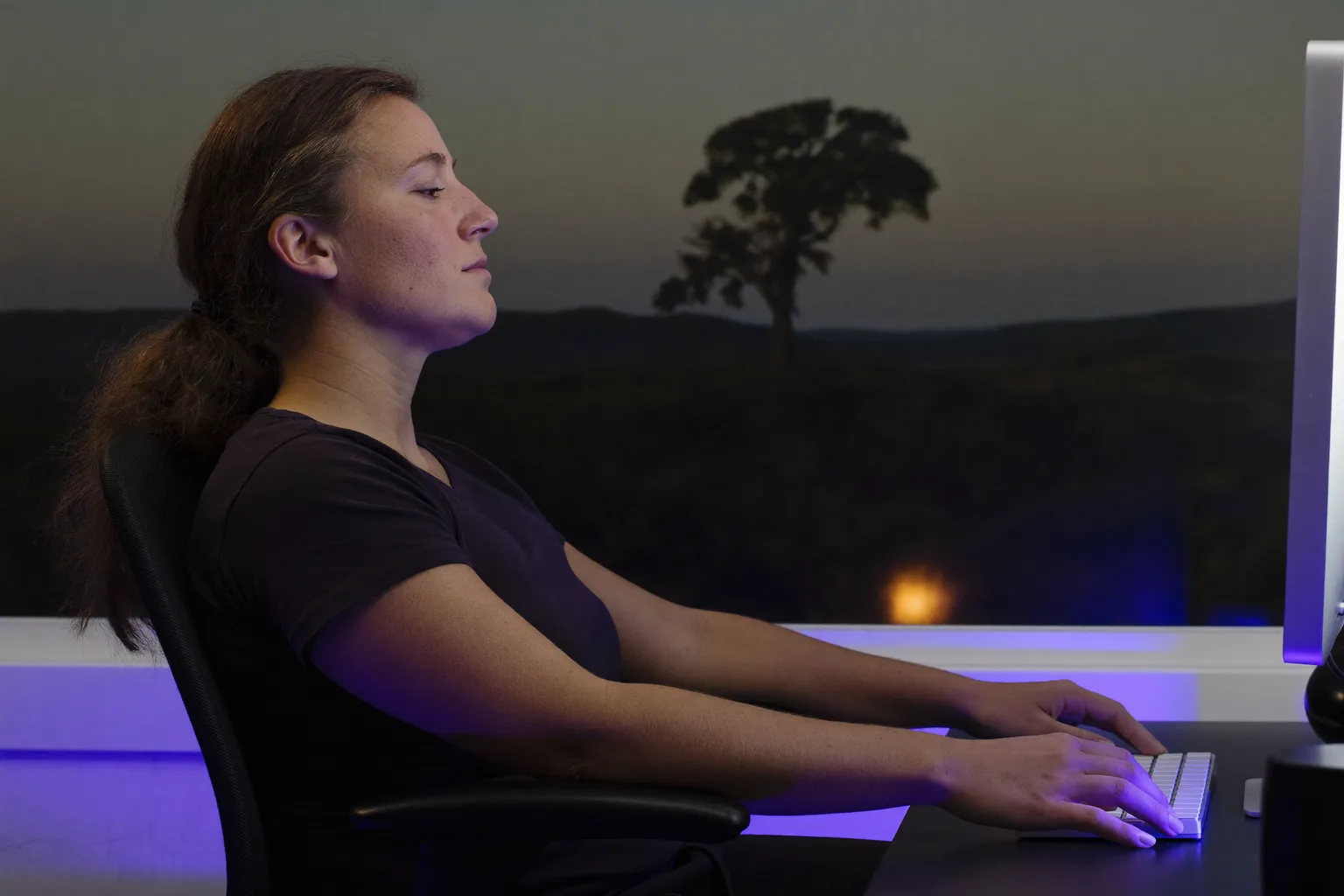
Work bottom to top, because every adjustment above your chair depends on the chair being right first. This is the arrangement OSHA describes for computer workstations, and it matches the Mayo Clinic office ergonomics guide on every point that matters.
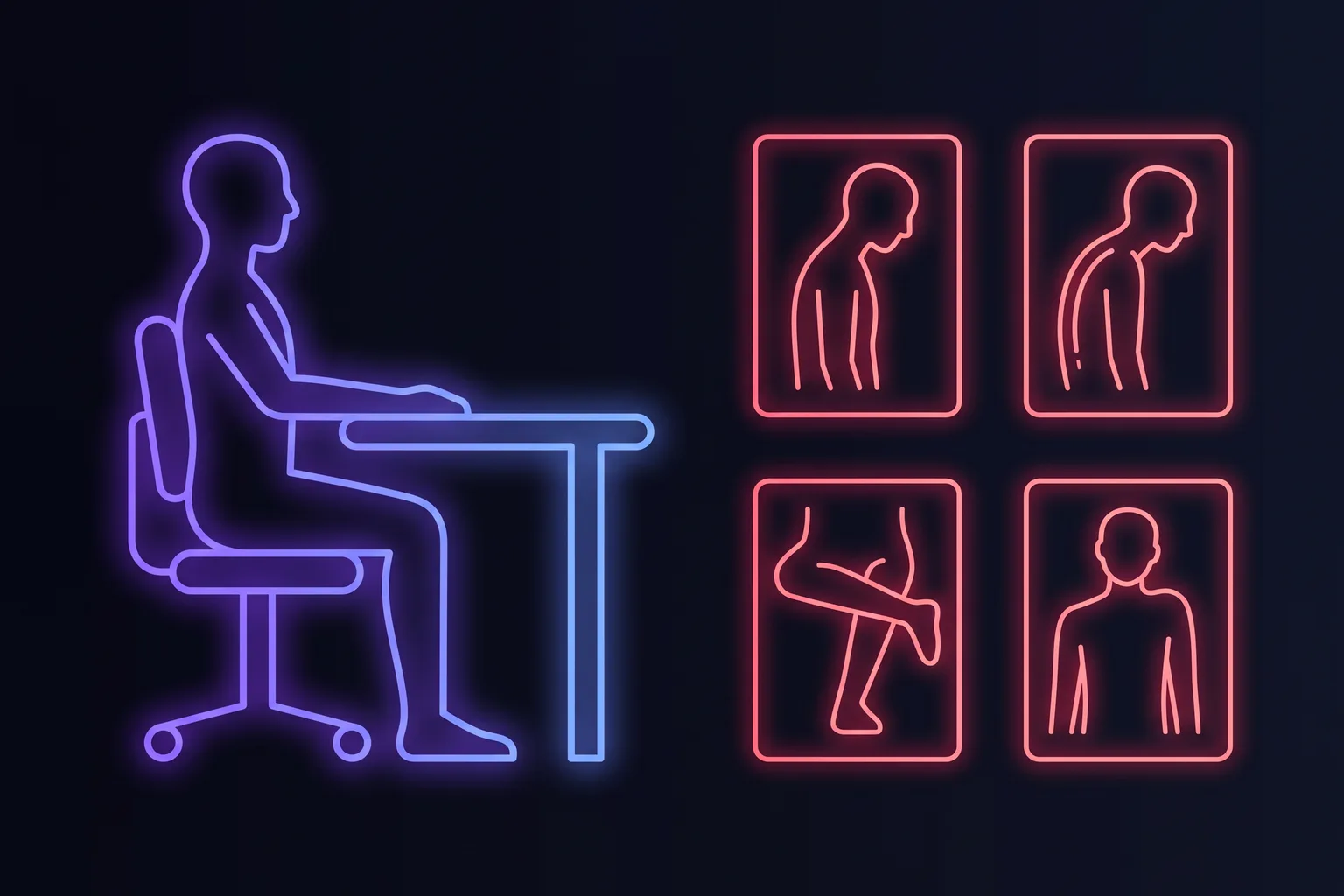
- Feet flat on the floor, thighs roughly parallel to it. If your feet dangle, the chair is too high: drop it, or put a box under them. Crossed legs and a foot tucked under you are the two most common ways this goes wrong.
- Hips slightly above your knees, which tips your pelvis forward a little and lets the lower back keep its natural curve instead of collapsing into a C.
- Back supported, with the lumbar support meeting the small of your back. A rolled towel does the same job as a two hundred euro accessory.
- Elbows close to your body, bent around 90 degrees, forearms about level with the desk. Shoulders down and loose, not shrugged toward your ears.
- Wrists straight, in line with your forearms, floating rather than resting hard on the desk edge while you type.
- Top of the screen at or just below eye level, about an arm's length away, so your gaze angles slightly down. Too low is the classic laptop problem and pulls your head forward all day.
- Everything you reach for often within reach without twisting: mouse, phone, notebook, water.
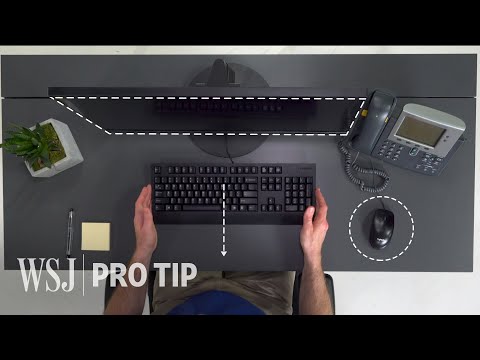
If you work on a laptop, no arrangement of your body fixes it, because the screen and the keyboard are attached. You either raise the laptop and add an external keyboard, or you accept a compromise. A stack of books and a twenty euro keyboard solves more posture problems than any chair upgrade.
The uncomfortable truth: there is no single correct posture#
Read the checklist above and it is easy to conclude there is one right way to sit and that you are failing at it. The agency that writes the workstation rules disagrees. OSHA's own guidance states plainly that there is no single correct posture or arrangement of components that will fit everyone. It is a starting range, not a position to hold.
The research is blunter still. A 2020 systematic review of systematic reviews looked at whether spine posture and physical exposure cause low back pain and found no consensus that they do. Reviews of occupational sitting reach the same place: sitting on its own is not associated with developing low back pain unless other exposures like whole body vibration or awkward loaded postures come with it. And the obvious escape route does not work either: a 2020 meta-analysis found that prolonged standing for desk work produces no less perceived back pain than sitting.
So slouching is not silently destroying your spine, and perfect posture is not a shield. What repeatedly does show up is duration: holding any one position, good or bad, for hours. The best posture really is the next one.
Signs of bad desk posture, in the order they usually appear#
Bad desk posture rarely announces itself as pain. It announces itself as a body that has quietly reorganised around the screen. In rough order of how early you notice them:
- Your head has drifted forward toward the screen, so your ears sit ahead of your shoulders instead of above them. This is the single most common desk posture fault and the one most linked to afternoon neck pain from desk work.
- Shoulders rounded and lifted, often with the mouse arm higher than the other. Check whether your armrest, not your shoulder, should be carrying that weight.
- You have slid down the chair, lower back rounded and away from the backrest, weight on your tailbone rather than your sit bones.
- Legs crossed or one foot tucked under you, which tilts the pelvis and takes one side of the setup out of alignment for hours.
- Wrists bent up to clear the desk edge or a thick keyboard, which is worth fixing on its own account: see what actually causes carpal tunnel symptoms.
- Stiffness on standing up. If the first ten steps after a long block feel like they belong to someone older, that is static loading, not age.
Posture for reading a book or documents flat on a desk
This one deserves its own answer because it breaks every rule the screen setup follows. A book lying flat on the desk sits roughly 40 centimetres below eye level, so your head tips forward and stays there, and the further your head travels forward the more load your neck extensors carry to hold it. Reading for an hour like that is harder on the neck than an hour at a well set up monitor.
- Raise the page toward you rather than lowering yourself toward the page. A document holder, a reading stand, or an angled stack of books at roughly 30 to 45 degrees does it.
- Put the stand beside the screen at the same height, not between you and the keyboard, if you are copying from it.
- Keep the same base as the screen setup: feet flat, back supported, shoulders down. Only the target moves.
- Break the position more often, not less. Reading is absorbing, which is exactly why people hold a folded neck for ninety minutes without noticing.
Ways to improve posture at your desk that survive a real working day#
Posture advice usually fails for the same reason diets do: it requires continuous conscious effort against a task that is absorbing all of your attention. The measures below work because they either change the environment once, or they interrupt you rather than relying on you to remember.
| What to do | Why it works | Ongoing effort |
|---|---|---|
| Fix the screen height once | Removes the reason your head drifts forward, instead of fighting it | None after setup |
| Break the position every 20 to 30 minutes | Targets duration of static loading, the factor the evidence actually supports | None if something reminds you |
| Change position deliberately | Sitting back, sitting forward, standing: variety beats any single ideal | Low |
| Strengthen through the week | Exercise reliably reduces back pain in office workers, unlike posture correction alone | Two or three sessions weekly |
| Consciously hold good posture | Works until the moment your work gets interesting, then stops | Constant, which is why it fails |
That fourth row is worth its own sentence, because it is the one intervention with real trial evidence behind it: a systematic review of office workers found that physical exercise reduces low back pain symptoms in this exact population. Not stretching at your desk for thirty seconds. Actual strengthening, two or three times a week, away from the desk. Meanwhile a meta-analysis of sedentary behaviour and musculoskeletal pain found that breaking up sitting with standing and light walking is associated with less discomfort in desk-based workers.

Next break
12:47
Look away
Coming up
- Stand up31 min
- Step away1 h 14
Do standing desks fix posture? What Cochrane found#
Partly, and not in the way they are sold. The 2018 Cochrane review of workplace interventions found that sit-stand desks cut workplace sitting by about 100 minutes a day in the short term, falling to about 57 minutes at three to twelve months, and that standing more caused no harm. The reviewers rated the evidence low quality, and found no evidence at all on longer term effects.
Read that alongside the finding that standing all day is no kinder to the back than sitting all day, and the conclusion is not that standing desks are useless. It is that their value is variety, not standing. A standing desk you alternate at is a good purchase. A standing desk you stand at rigidly for six hours is the same mistake with different joints.
When it is not a posture problem#
Desk-related aches follow the working day: absent in the morning, building through the afternoon, gone over a good weekend. When that pattern breaks, posture is not the story. Speak to a doctor or physiotherapist if:
- Pain wakes you at night or is present on waking, before you have done anything.
- There is numbness, tingling or weakness running into an arm or a leg, rather than a local ache.
- Pain follows a fall, accident or injury.
- It comes with fever, unexplained weight loss, or problems controlling your bladder or bowels, which need urgent attention.
- It has not improved at all after six weeks of better setup, movement and general exercise.
The NHS back pain guidance is a reasonable baseline for everything below that threshold, and its first instruction is the one that surprises people: keep moving. Rest is not the treatment.
Frequently asked questions
What is the proper sitting posture at a desk?
Is bad posture at a desk really causing my back pain?
How often should I change position at a desk?
What is the best posture for reading a book on a desk?
Do standing desks improve posture?
How can I improve my posture at a desk without thinking about it constantly?
Sources & further reading
- OSHA: Computer workstations eTool
- Mayo Clinic: Office ergonomics, your how-to guide
- Swain et al. (2020): No consensus on causality of spine postures or physical exposure and low back pain
- Lis et al. (2007): Association between sitting and occupational low back pain
- De Carvalho et al. (2020): Prolonged standing for desk work versus sitting, systematic review and meta-analysis
- Cochrane (2018): Workplace interventions for reducing sitting at work
- Systematic review (2020): Physical exercise reduces low back pain symptoms in office workers
- Meta-analysis (2021): Musculoskeletal pain and sedentary behaviour in occupational settings
- NHS: Back pain
- CDC / NIOSH: Ergonomics and musculoskeletal disorders